

480P 1080P For Wii HDMI Kit Imbeded Digital To Digital HD TV Mode For Wii Console Game Video HDMI PCB Mod with OSD Menu


480P 1080P For Wii HDMI Kit Imbeded Digital To Digital HD TV Mode For Wii Console Game Video HDMI PCB Mod with OSD Menu
It is only a HDMI kit. The console is not included.
This HDMI kit is a digital to digital HDMI output upgrade for the Wii.
This digital to digital HDMI image are much better than other external HDMI converter.
This kit compatible with all wii console except "Wii mini" console.
Make your wii console output HDMI image.
The kit includes two PCB and Flex cable that must be soldered into the Wii.
Note: Good Welding skills required!
Due to environmental protection, we do not send paper installation manual.
Please contact us to request the installation manual when you receive the product.
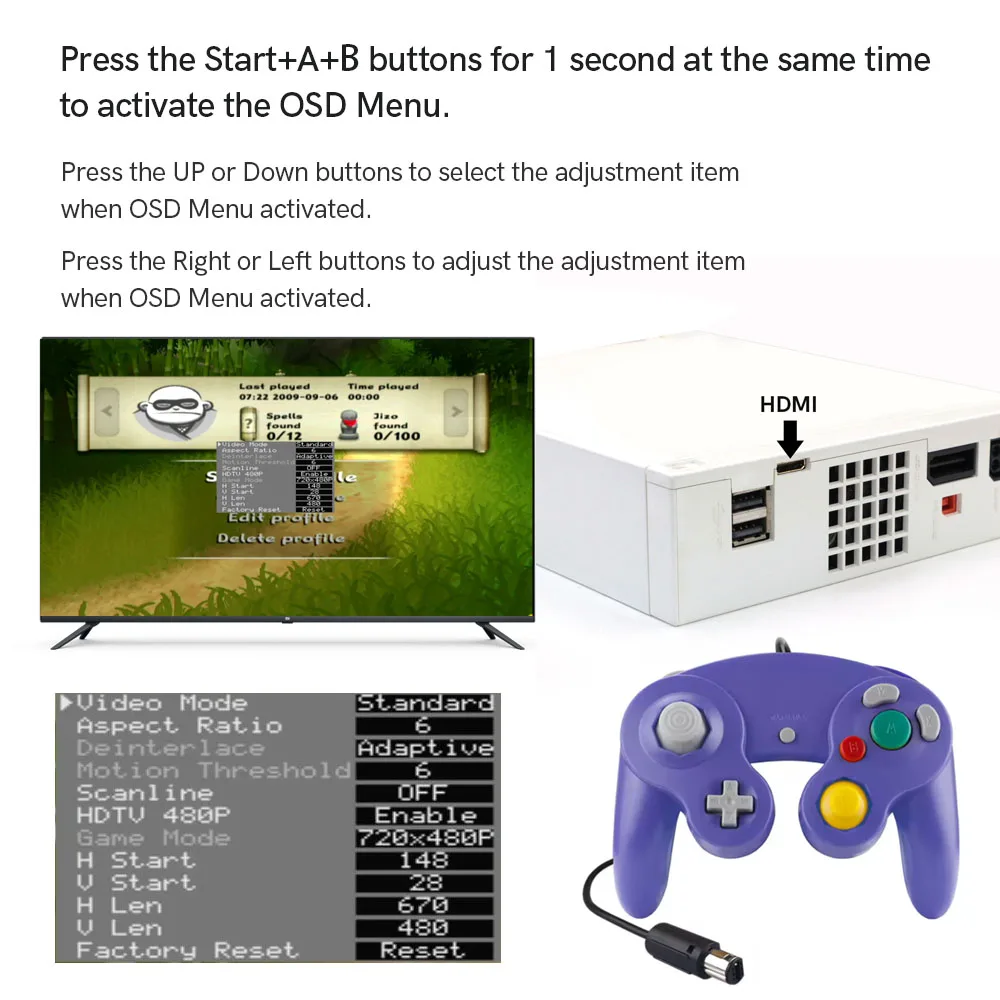
Note: Only NGC controller can activate the OSD menu. Please plug in the NGC controller before power on the wii.And, due to the fact that the NGC controller is disabled in many Wii games. So the OSD menu cannot be activated in these Wii games.
Description:
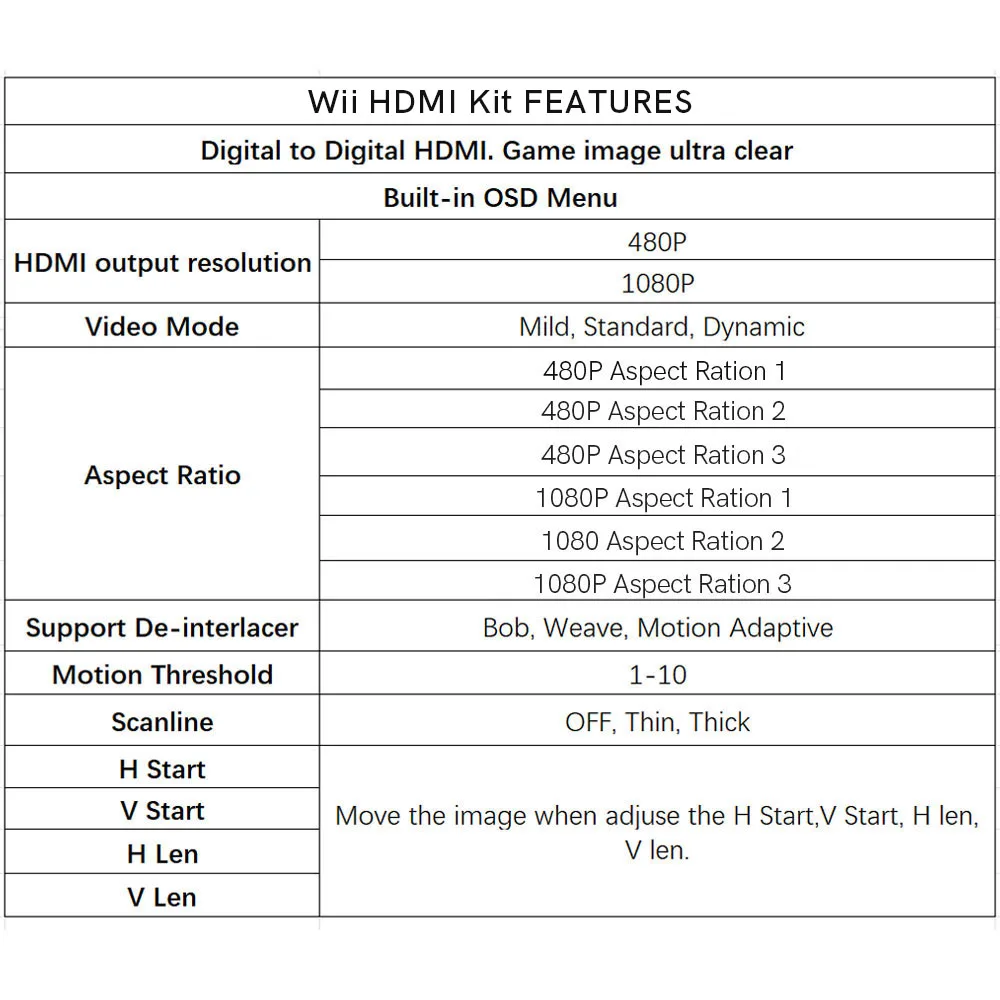
1. Support 480P, 1080P HDMI Output.
2. Built-in OSD Menu!
3. Built in 3 Video Mode. Mild, Standard, Dynamic,
4. Built in 6 Aspect Ratio. Aspect Ratio 1 to Aspect Ratio 3 are 480P. Aspect Ratio 4 to Aspect Ratio 6 are 1080P.
5. Deinterlace adjustable. Bob, Weave,Adaptive.
6. Motion Thereshold adjustable.
7. Image position adjustable. Move the image when adjust the H Start,V Start, H len, V len.
Compatibility:
Compatible with all wii console except "Wii mini" console.
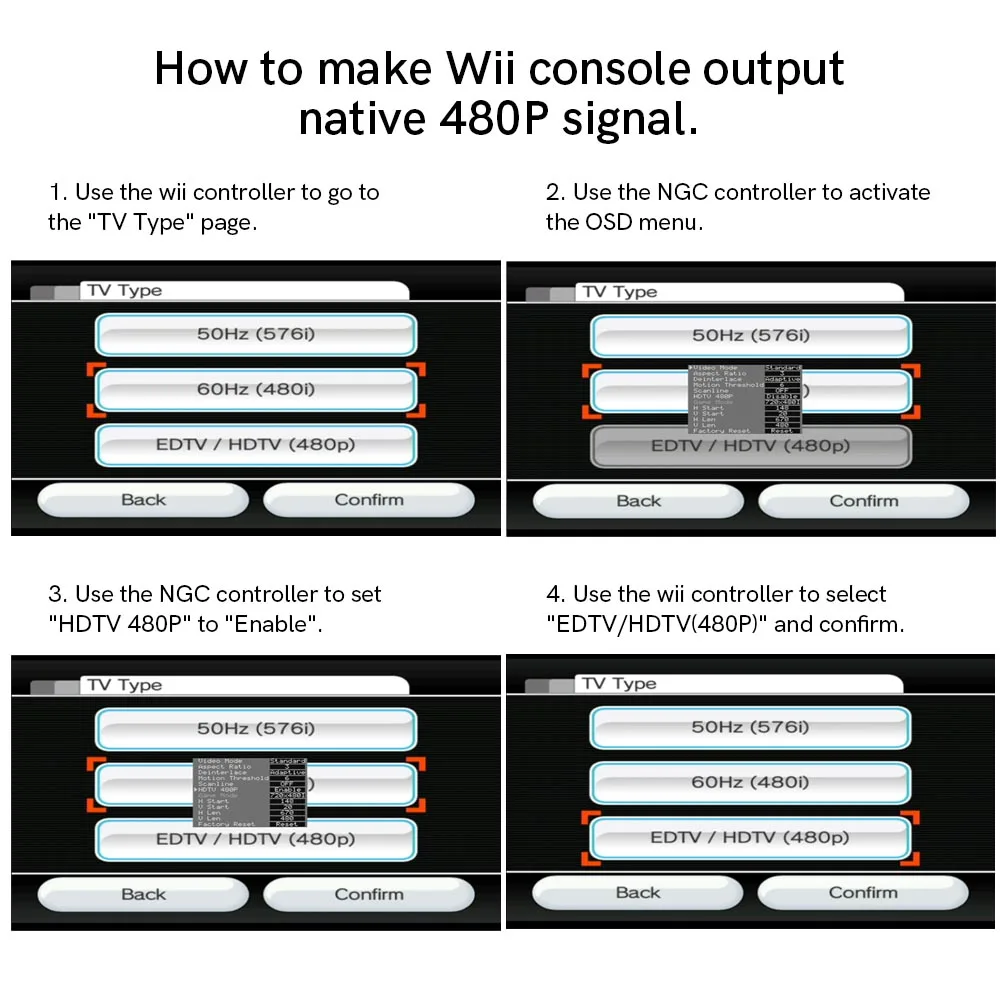
How to make Wii console output native 480P signal.
1. Use the wii controller to go to the "TV Type" page.
2. Use the NGC controller to activate the OSD menu.
3. Use the NGC controller to set "HDTV 480P" to "Enable".
4. Use the wii controller to select "EDTV/HDTV(480P)" and confirm.
Include:
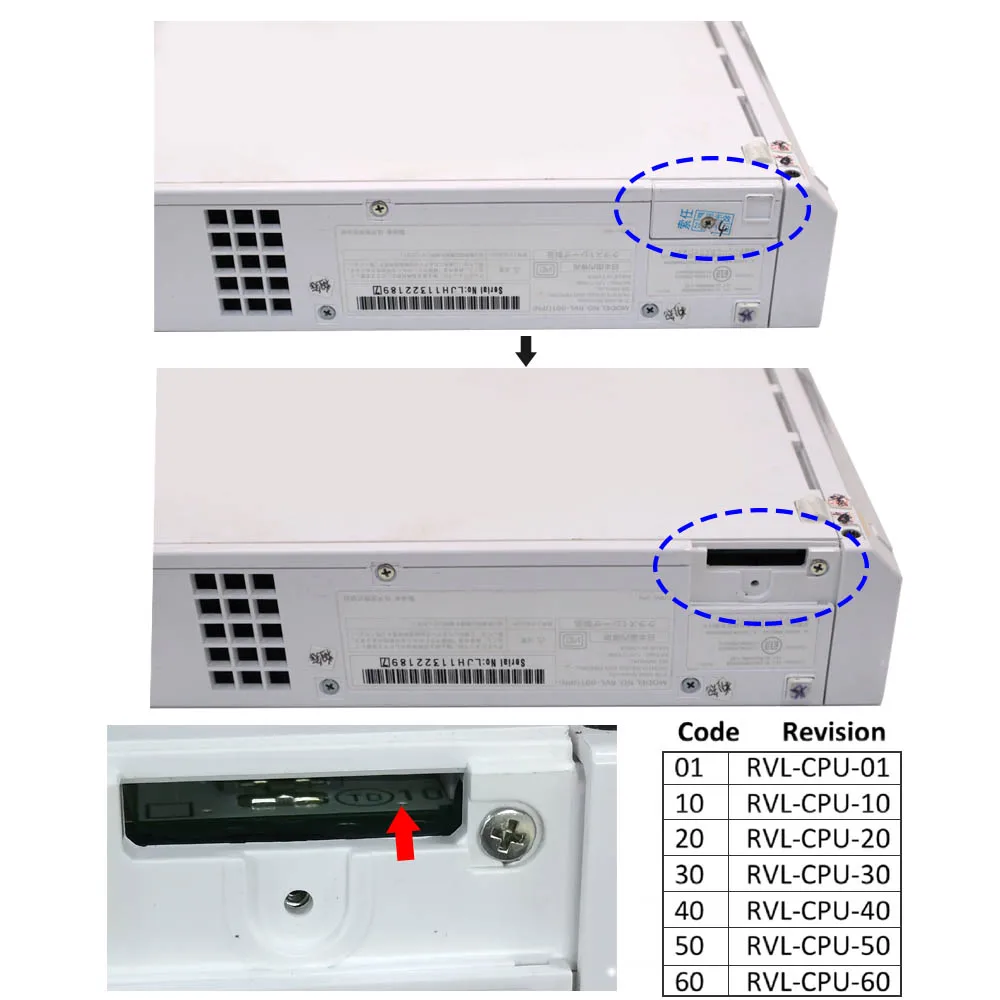
Check the Wii motherboard version to select the correct installation manual.
Make sure there is no contact between adjacent pins. If it happened, please disconnect them.


Why buy from handheldparts.site
- Fitment-checked, plug & play installation, no guesswork
- Free worldwide shipping on orders over $55.99
- 30-day easy returns · 12-month warranty
- Need help? support@handheldparts.site · WhatsApp +86 134-2894-7672